
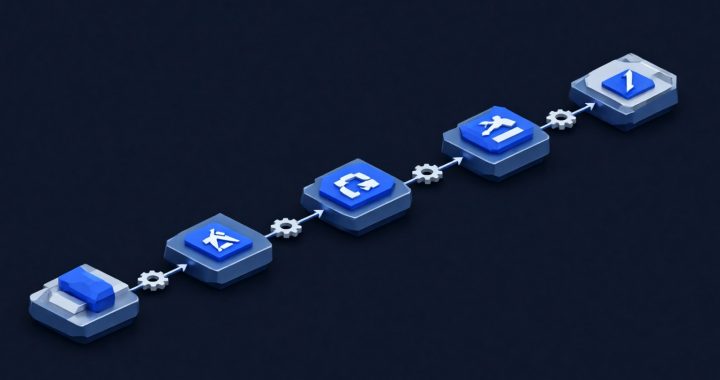
Most AI projects in professional services firms fail for a boring reason: the workflow was never measured, so nobody can tell whether it worked. The five below are the ones we have seen pay for themselves, with the guardrail each one needs and the number that tells you whether to keep it.
How to Choose a Workflow
Four tests. The work is repetitive and high-volume. The input is structured enough that a correct answer can be defined. A mistake is catchable before it reaches a client. And someone can measure the current cost in minutes or hours without arguing.
If a candidate fails any of those, it is not ready. That rules out most “transform the whole firm” ideas and leaves the work that actually consumes your staff’s week.
1. Document Intake and Extraction
Problem: staff retype fields from PDFs into a system: invoices into accounting, statements into case management, intake forms into a CRM.
Data needed: a sample of real documents covering the variations, and the exact field list the destination system expects.
Setup: extraction against the template, with a confidence score per field, feeding either an API or a review queue.
Guardrail: low-confidence records go to a human queue; nothing posts to the ledger unreviewed for the first month.
Metric: minutes per document, and error rate against a hand-checked sample of at least fifty documents.
One client result: an accounting firm moved invoice processing from manual entry to automated extraction and saved about twenty hours of processing per week at 99.2% extraction accuracy, with billing turnaround halved. That is one firm’s result, not a guarantee; the full write-up is in our case studies.
2. Drafting From Templates
Problem: every engagement letter, status update, and proposal section starts from the same structure and takes twenty minutes to assemble.
Data needed: your approved templates and a few examples of your own tone.
Setup: the model fills a template with the facts from intake, producing a first draft for a person to edit.
Guardrail: the template defines structure; a human edits before sending; no new commitments are generated by the model.
Metric: drafting minutes per document, and rework percentage (how much of the draft survives editing).
3. Meeting Notes and Action Items
Problem: someone takes notes, the notes are incomplete, and the action items never get sent.
Data needed: consent to record, a place to store transcripts, and a retention limit.
Setup: transcription plus a structured summary with owners and dates, posted to the project channel within the hour.
Guardrail: consent rules per jurisdiction, no recording of privileged or regulated conversations without counsel’s sign-off, and automatic deletion after the retention period.
Metric: percentage of meetings with action items distributed the same day.
4. Support Ticket Triage
Problem: tickets are classified by hand, routed slowly, and the same five questions arrive every week.
Data needed: historical tickets with their final resolution, which is both the training set and the evaluation set.
Setup: classification and routing, plus a suggested first reply for the common cases.
Guardrail: auto-routing only; no auto-closing; escalation stays with humans.
Metric: first-response time and misroute rate.
5. Internal Knowledge Search
Problem: the answer exists in a policy, a past proposal, or a support thread, and finding it takes twenty minutes of searching.
Data needed: a clean, permissioned document set. This is the hard part, and skipping it is why most attempts disappoint.
Setup: retrieval over your own documents, with the answer citing the source passage.
Guardrail: access control inherited from the source system, so the assistant cannot quote a document the user could not open, and every answer shows its citation.
Metric: questions answered without escalation, and citation accuracy on a sample you check by hand.
What Not to Automate
- Final legal, medical, or financial judgment. The model can prepare; a licensed person decides.
- Unsupervised external communication. Anything going to a client, regulator, or counterparty gets a human signature.
- Work with no clean data source. If the input is a scanned mess or scattered across inboxes, fix the input first.
- Anything where an error is irreversible and cannot be caught before it lands: payments, filings, deletions.
How to Measure ROI
Four numbers, recorded before and after, on the same task type:
- Hours per unit of work for the people who do it now.
- Error rate on a hand-checked sample, not the model’s own confidence.
- Cycle time from arrival to completion, which is what clients notice.
- Adoption and rework: who actually uses it, and how often output is redone.
Then subtract the real costs: licences, integration, review time, and the engineering to keep it running. A workflow that saves ten hours and adds eight hours of checking is not a win, and it is better to learn that in week four than in month nine.
A 30-Day Pilot
- Days 1–3: pick one workflow from the list. Name an owner. Write down the baseline numbers.
- Days 4–7: assemble fifty real examples with known correct answers. This is your evaluation set, and it is the difference between a demo and a pilot.
- Days 8–18: build the smallest version that works, with the guardrail in place from the first day.
- Days 19–25: run it with a bounded group, keep the human review step, and log every failure.
- Days 26–30: compare against the baseline and decide: scale, fix, or stop. Write the decision down with the numbers attached.
If the pilot works, the next step is not “add more AI”. It is documentation, monitoring, and an evaluation set that survives the next model version.
Where to Get Help
We run this work end to end: use-case selection and strategy, engineering the application and retrieval, cost and latency optimization, and security assessment before anything faces a client.
Before you pick a workflow, run the AI readiness check; if the controls are missing, the pilot will be blocked by policy rather than by technology. The reasoning behind the guardrails is in the AI for business guide and in AI beyond automation.
Schedule an AI strategy session or call 703-486-0200.